
Goal
Our church uses an integrated AV control system powered by Q-SYS, designed to streamline and automate key functions for all users. This includes powering devices on and off, managing speakers and amplifiers, lighting, controlling microphones, and switching video sources.
As part of the setup, a wall-mounted TV serves as a stage display at the back of the hall. To enhance usability and consistency, I wanted the TV’s power control—on and off—to be fully integrated into the AV system alongside the other components.
Challenges
We considered some alternate solutions:
“Android TV Remote” protocol over WiFi: The TV is powered by Google TV, meaning that if we enabled Wi-Fi we could use the Android TV remote protocol. But we did not want the TV to be “auto-discoverable” from people’s phones on the Wi-Fi guest network. (Argubaly, this isolation could have been achieved by firewall configuration. But honestly I still struggle to get what I want configured given the complexity of the multiple VLAN setup.)
IR remote commands: Unfortunately this seemed to be limited to a power “toggle” IR command.
Cons:
- No way to send precise “on” or “off” commands, unless we were doing the IR remote control learning wrong. Only a “toggle” power command.
- No way to detect on/off state. We did try a smart plug with power monitoring (Tapo P110) and reading for a threshold value.
- Global Cache sell a IR device that officially integrates with QSYS, but it’s $100+ AUD
Final Solution: HDMI CEC control via a ESPhome
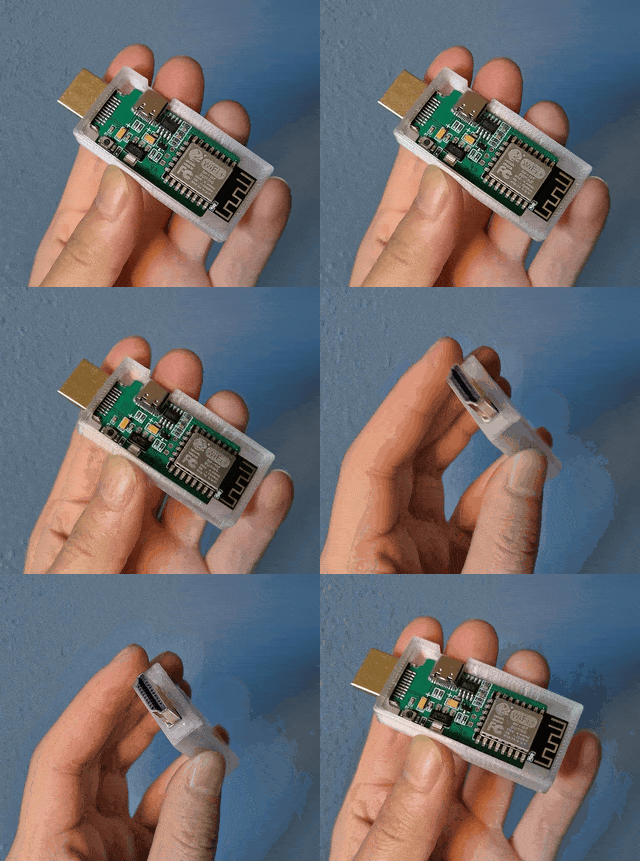
Check out this little gadget: a ESP32 chip wired with a HDMI connector. There can be readily ordered off AliExpress for $25 AUD, and someone has already written the C code for interfacting with the HDMI CEC protocol so no actual coding is required! 🙂 And it’s the same guy who wrote the WebSockets integration for OBS Studio ?.
Cost: $25 AUD
Step 1 – Order parts: https://www.aliexpress.com/item/1005008244032774.html
Step 2 – Writing ESPHome config
- Add “ESPHome” add-on for HomeAssistant (I believe “add-ons” are provided via HassIO)
- Here’s my final config https://gist.github.com/navhaxs/2640d13a74ed09d335879b79e80f77e3
- Built config as a binary file –> downloaded for Step 3
Step 3 – Flashing with ESPhome
- Use a “working” USB-C cable with data line
- Hold reset button and then connect device cable to PC
- Used https://web.esphome.io/
Step 4 – Set a fixed IP address on the router
Step 5 – Automating with HomeAssistant
- Device should now show up in ESPHome
- Device may (?) also now show up in HomeAssistant > Devices & services > ESPHome, if not, manually ‘Add device’ by IP address
Step 6 – Automating with QSYS
- We have QSYS, so final step is to update LUA scripts (yes, LUA…) and UCI to reference the new ESPHome device since we have QSYS talking with HomeAssistant.
Evaluation
- Simplicity == when things are reliable.
- Recovers when power is lost check ✅
- ESPhome proven to be awesome ✅
- ESP device cheap, only $25 AUD ✅